
Customers
Accounts and guests, why histories split, every field on a group, addresses, and what you can and cannot see.
Customers. Everyone who has bought from you or created an account.
Accounts and Guests
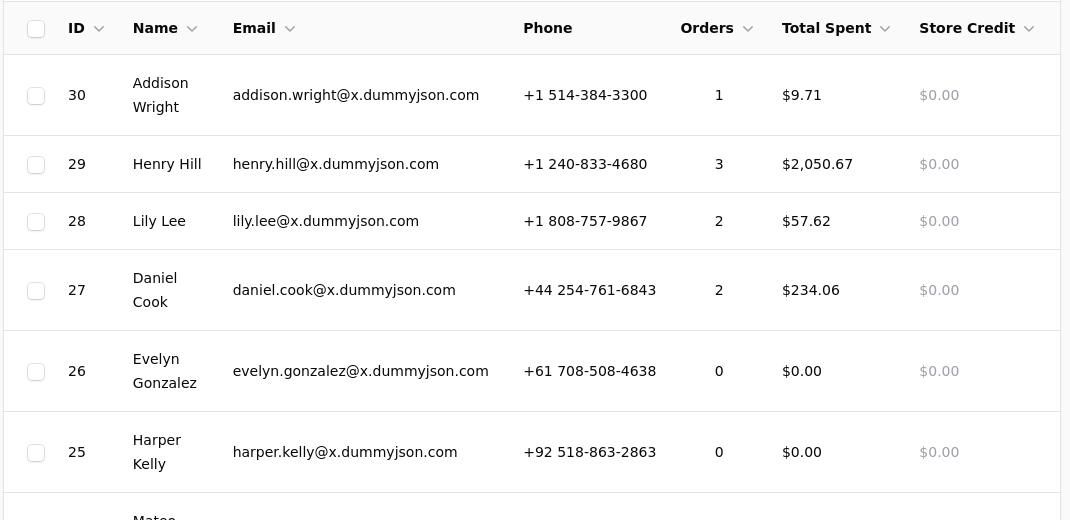
A shopper does not have to create an account to buy. A guest order records the name, email and address it was given and nothing else, and no account exists afterwards.
That is why an order can show no customer. Nobody was signed in and the email did not match an existing account. The order is complete and valid, it is simply not attached to anyone.
Why a customer's history looks incomplete
Orders attach to an account by email address. Somebody who orders once as a guest with a work address, then creates an account with a personal one, has two histories that nothing will join, because as far as the shop is concerned they are two people. This is almost always the explanation when a customer says their past orders are missing.
There is no merge function, deliberately: joining two customer records means deciding which addresses, which groups and which history are correct, and getting that wrong silently is worse than leaving them separate. If it matters, the practical answer is to tell the customer which address to sign in with.
What a Customer Record Holds
Their name, email, phone and company. Their addresses. Their group memberships. Every order they have placed. And anything they have left behind: an abandoned basket, a wishlist, a gift registry, reviews they have written, questions they have asked.
You can edit the details, move them between groups, and open any order from the same screen.
You cannot see a password, and neither can anybody else
Passwords are stored in a form that cannot be read back, by design. If a customer is locked out, they reset it themselves from the sign-in page. Nobody at your shop, or on the platform, can tell them what their password was.
Groups
Wishlists, registries and questions can be switched off
They are included on every plan, but Settings, Store Features can turn each of them off, which also hides them from the admin. If one is missing, look there before assuming it is unavailable.
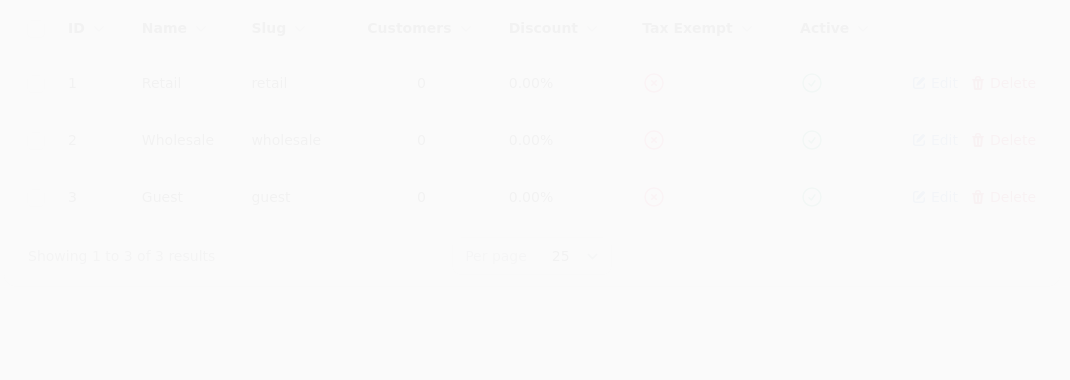
A customer can belong to any number of groups. Groups are how wholesale, trade, membership and staff pricing all work, and they do four separate things.
Discount. A group carries a discount percent applied to everything, unless a product is excluded or a specific price exists.
Specific prices. A product can carry a price for a named group, set on the product's Pricing tab.
Visibility. A group can be restricted to named categories and products, which makes everything outside that list invisible to its members, and makes restricted products invisible to everyone else. That is how a trade-only range works, including in search.
Tax. A group can be marked tax exempt, which is how resellers and institutions that do not pay it are handled.
The best price, never every discount
A price set specifically for a group beats that group's blanket percentage, and discounts never stack. A customer in three groups gets the single best price they are entitled to, not three reductions applied one after another.
A product can also be excluded from group discounts entirely, and so can a whole category, which is how a fundraiser or a membership stays at full price while wholesale pricing still works everywhere else.
Putting Somebody in a Group
Either edit the customer and add the group, or edit the group and add customers. Membership takes effect immediately, including on a basket they already have open, because prices are resolved when the basket is read rather than when it was filled.
A customer who signs up through a wholesale application form does not get the group automatically unless you have set that up. Check new applications rather than assuming.
Addresses
A customer can keep several addresses, and mark one default for delivery and one for billing.
At checkout the shop fills in their default. If they never marked one, it uses the most recently updated address rather than leaving the form empty. They can change it on the spot without affecting what is saved, so editing at checkout does not quietly rewrite their address book.
An address recorded on an order is a snapshot. Changing an address later does not change where past orders were sent, which is what you want when you are looking at an old order.
Finding People
Search matches name, email and company. Filters narrow by group, by whether they have ordered, and by when they joined.
The Customers report ranks by what they have spent, and separates new from returning over a period, which is the figure that tells you whether marketing is bringing people back or only bringing them once.
Deleting a Customer
Deleting removes the account, not their orders. The orders remain, because they are your records rather than theirs, and they become unattached in the way a guest order is.
If somebody asks to be removed, that is the behaviour you want: their account and saved details go, your books stay intact.