
Categories
Every field, nesting, visibility by group, descriptions, sort order, and what happens when you delete one.
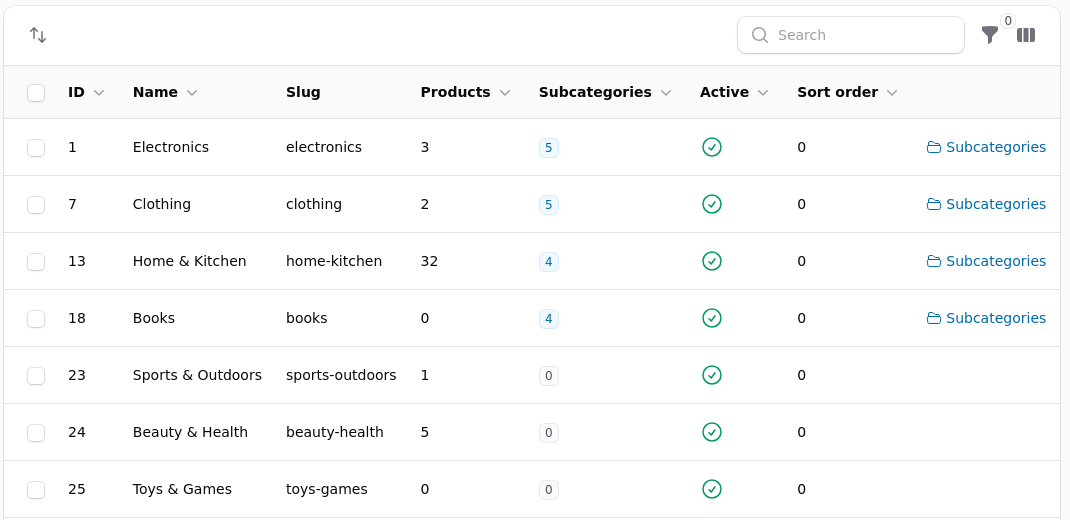
Categories are how a shopper browses, and what your menus are built from.
A Product Can Be in Several
That is normal and usually right. A book can sit in Books and in History, and it appears under both.
Why sales by category add up to more than you sold
A product counts once under every category it belongs to. The question being answered is how a subject performed, not how the subjects divide the takings. For a figure that sums to your revenue, use the Sales Summary report.
Every Field on a Category
Name appears in menus, headings and breadcrumbs. Keep it short: a long name wraps awkwardly in a navigation bar and in a tile.
Slug is the web address. Shorten it, then leave it alone.
Parent places it inside another category, which is what builds dropdown menus and breadcrumbs.
Description appears under the heading on the shop, and is read by search engines. The editor has an HTML view for controlling colours and sizes line by line.
Image is used by themes that show category tiles, including the homepage category grid. A category with no image in a grid of tiles looks broken rather than minimal.
Sort order decides its position among its siblings, lowest first.
Active controls whether it appears at all.
Exclude from group discounts keeps everything inside at full price for groups with a blanket percentage.
SEO title and description override what search engines show. Left blank, the name and description are used.
Nesting
Keep it shallow. Three levels is usually one too many: shoppers stop digging long before you run out of levels, and a product three deep is found by search rather than by browsing.
A parent category normally lists everything inside its children as well, so a shopper clicking History sees books filed under History, Labour History and Military History together. That is what makes deep nesting survivable, and it is also why a product filed only in a deep child is still reachable.
Ordering
Sort order decides the sequence within a parent, lowest first. Left at the default, categories appear in the order they were created, which is rarely the order of importance.
Decide the first three deliberately. Most shoppers never read past them.
Hiding One
Making a category inactive removes it from the menus without deleting it or touching the products inside it. Those products stay on the shop and remain reachable by search and by their own links.
That is what you want for a seasonal section: hide it in February, show it in November, and nothing is lost in between.
Hiding a parent does not hide its children's products
Products inside a hidden category are still on the shop. If the point is to take a range off sale, change the products rather than the category, or restrict the category to a customer group nobody is in.
Deleting One
Deleting a category does not delete the products in it. They stay, and simply lose that filing.
What is lost is the address. Anybody holding a link to the category gets nothing. If people may have linked to it, add a redirect under Settings so the old address lands somewhere sensible, and prefer making it inactive in the first place.
Visibility by Group
A category can be restricted to one or more customer groups, so a trade-only section is invisible to everyone else, including in search and in menus.
Combine that with a group discount and you have a wholesale area: visible only to the group, priced for the group, and absent for everybody else.
Keeping Discounts off a Category
Exclude from group discounts is the answer to the common problem of a blanket wholesale percentage coming off things it should not: a fundraiser, a membership, a gift card, a charity line.
A price set specifically for a group still applies, because that is a deliberate decision rather than a blanket rule.
Importing and Reorganising
Categories can be imported, which is the practical way to build a large tree. Reorganising afterwards is a matter of changing parents and sort orders.
If you are moving a lot of products between categories, do it with the bulk action on the product list rather than one product at a time.